


Photo Sherlock Search by photo
3.9965.00 Reviews
App Specs
- Version
- 1.131
- Updated On
- License
- Free
- Downloads
- 5,000,000+
- Developer
- appsmotor AI
- Categories
- Photography
- Platform
- Android
Screenshots
 Analysis by AppCompare
I usually reach for a reverse-image search when a picture leaves me with a concrete question: where else has this image appeared, what object is shown, or is there a fuller version of the photo? Photo Sherlock is built for that kind of curiosity. It turns a picture from your camera or gallery into a web search, which is a simple idea but a useful one when ordinary text searches are not enough.
I find it most helpful when I treat the results as clues rather than answers. A match can point me toward a source or a similar image, but I still need to check whether the page actually supports what I want to know. That distinction matters for shopping, research, and checking a picture someone has shared with me.
Starting with the right image
The app is a photography tool from appsmotor AI. It is free to install, with optional in-app purchases listed at $1.99 to $2.99 per item. It has a 3.9 average from around 55,000 ratings, and more than five million installs. The Teen age rating is worth noting if you are choosing apps for a younger user; the rating is not a guarantee that every image or external result will be suitable.
For a useful search, the starting image often matters more than the speed of the search. A full screenshot may contain captions, borders, interface elements, or several unrelated objects. Before searching, I decide what I am trying to identify and use the crop tool to isolate that subject. If I want to find a logo, I crop tightly around the mark; for a building, I keep enough of the surroundings to preserve its shape and context.
This small choice can change the quality of the matches. A very tight crop can remove useful context, while a broad image can make the subject harder to distinguish. I would keep a copy of the uncropped image and try a second crop if the first results are vague. That is more useful than assuming a poor match means the picture has no searchable trail.
From camera or gallery to a search
The workflow is direct: open the app, choose a saved picture or take a new one, adjust the crop if needed, and start the search. The version listed is 1.131, and the stated minimum operating-system requirement is 6.0. Once the results appear, I scan for images that genuinely resemble the subject, then open promising pages to see whether they add meaningful context.
Taking a new picture is handy when the object is in front of me, but it is not always the best input. Glare on a label, a busy background, motion blur, or an unusual camera angle can make an object difficult to match. If I am identifying a product, I try to include a distinctive feature—such as its shape or a visible mark—without filling the frame with unrelated surroundings. For a screen image, using the original file or a clean screenshot is usually a better starting point than photographing the display.
Worth Reading Before You Choose

EA SPORTS FC Mobile 26 Is a Bigger Football Game, but It Takes Time

Flipboard Shows What News Apps Must Do Beyond the Feed

Switching to Android Auto Means Rethinking Your Driving Routine

Google Calendar Makes a Crowded Week Easier to Manage

Ludo King Makes the Most of the Minutes Between Plans

Baby Panda World Brings Quick Play to Modern Phones, but Its Game Library Feels Busy
The search itself is only one stage of the task. The next is deciding what a result actually establishes. A similar-looking image may identify a design or lead to a product page, but it does not automatically prove that the page is the original source or that the pictured item is identical to the one I have. I treat the search as a route to evidence, not as a verdict.
Following the result beyond the app
When a result looks promising, the useful handoff is to the page behind it. I check the page title, surrounding text, and image context rather than stopping at a thumbnail. For a meme, that might reveal an earlier version; for a place, it may show whether the image is actually connected to the location; for a product, it can lead to a listing that gives details the image alone cannot confirm.
This is also where reverse-image search differs from a normal web search. A text search depends on knowing the right words; a visual search can help when all I have is a picture. A general web search is still better when I already know the name, model, or exact phrase, while a dedicated shopping search may be more practical when I need current availability or comparable specifications. I use Photo Sherlock to get a lead, then switch tools when the question becomes more specific.
For example, if a friend sends me a photo of a chair they like, I can crop the chair away from the room and search for similar images. If the results suggest a designer or retailer, I still compare the frame, upholstery, and proportions before treating it as the same model. This is a realistic strength of the app: it can shorten the path from “what is that?” to a promising lead, even when it cannot settle every detail on its own.
Where a promising search can stall
Results depend on whether a similar image or relevant page is available to find. A private image, a newly posted picture, or a photo with no distinctive visual features may not lead anywhere useful. That is not a failure of the crop tool; it is a limit of searching the accessible web. I would try a clearer image or a different crop once, but I would not keep repeating the same search if the subject has no recognizable detail.
There is a more important limit when the question is about authenticity. Finding the same image elsewhere can help trace its circulation, but it cannot by itself show when a particular copy was made, whether a caption is accurate, or whether an event happened as described. I look for the original publisher and corroborating context before sharing a claim. If the stakes are high, a visual match alone is not enough.
The app is also less suitable when the picture is sensitive. Sending an image into an online search is different from inspecting it privately on a device, so I avoid using personal, confidential, or identifying images unless I am comfortable with that choice. For a private photo, a search may be the wrong tool even if it could answer the question.
Who will get the most from it
I would recommend Photo Sherlock to people who often encounter images without useful captions: curious readers, bargain hunters checking the identity of an object, and creators looking for visual references or possible source pages. Its practical appeal is the short path from selecting an image to exploring related results, rather than a promise that every search will uncover a definitive origin.
I would skip it if I mainly need reliable product specifications, a verified identity, or a definitive fact-check. Those tasks need stronger evidence than image similarity, and a targeted text search or a specialist service may be a better next step. It is also not a replacement for careful source checking when a result could affect a purchase, publication, or decision about someone’s identity.
For a free photography app, the trade-off is straightforward: it offers a convenient way to turn a picture into a search, while the useful work still includes cropping thoughtfully and judging what comes back. Optional purchases are available, but I would first see whether the basic workflow fits the kinds of questions I actually have. The app was released on August 25, 2017, and its current listed version is 1.131.
My bottom line is that Photo Sherlock is worth trying when you have an image and a clear question, especially if you are comfortable following results out to their sources. I would not rely on it as an authority, but as a first step it can make an otherwise awkward visual search much easier to begin.
Getting to Know Photo Sherlock
First things first, Photo Sherlock is available on both Android and iOS platforms, and it’s pretty straightforward to use. The app's main function is a reverse image search, which means you can upload a photo, and the app will scour the web to find similar images or information related to it. It’s like having a detective in your pocket, ready to uncover the mystery behind any image you throw at it.
How It Works
Using Photo Sherlock is a breeze. Once you open the app, you have the option to either upload a photo from your gallery or take a new one using your camera. After selecting an image, just hit the search button, and voilà! The app goes to work, searching various databases to bring you results. It’s pretty quick, too. Within seconds, you’ll have a list of potential matches and related content.
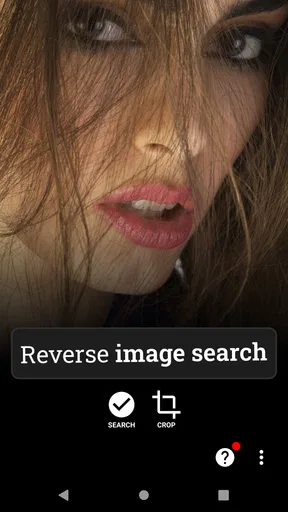
One cool feature is the ability to crop your images before searching. This is super handy if you want to focus on a specific part of a photo, like a logo or a landmark. It adds a layer of precision to your search, which can make all the difference.
User Interface and Experience
The user interface is clean and intuitive, which is always a plus in my book. Everything is laid out logically, so you won’t find yourself fumbling around trying to figure out what to do next. The app doesn’t bombard you with ads or unnecessary features, which keeps the experience smooth and user-friendly.
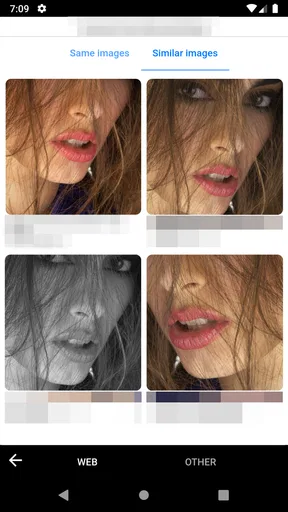
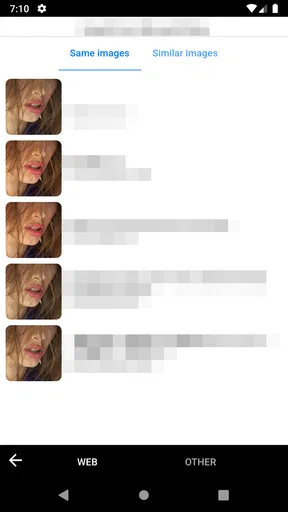
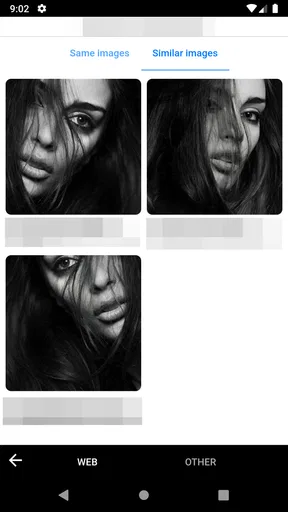
The search results are displayed in a neat, organized manner. You can easily scroll through and click on any link that catches your eye. Whether you’re trying to identify a celebrity, discover the origin of a meme, or simply satisfy your curiosity about a new place, Photo Sherlock provides a seamless experience.
Practical Applications
Alright, let’s talk about why you might want to use this app. Aside from satisfying random bursts of curiosity, Photo Sherlock can be incredibly useful for a range of practical applications. For instance, if you’re into online shopping, you can use the app to find products by image. Imagine seeing a cool pair of shoes online but not knowing the brand. Snap a photo, and let Photo Sherlock do the detective work.
Additionally, it can be a lifesaver for anyone in the creative field. Designers and artists can use it to track down original sources of inspiration or find similar works. It’s also helpful for verifying image authenticity, which is crucial in today’s world where fake news and misinformation run rampant.
Final Thoughts
All in all, Photo Sherlock is a handy app that does what it promises. It’s straightforward, efficient, and packed with potential for both fun and functional uses. Whether you’re a curious soul or someone who frequently needs to verify image sources, this app is definitely worth a try. So why not give it a whirl? You might just find it becoming one of your go-to tools on your smartphone.
Ready to unleash your inner detective? You can download Photo Sherlock from the Google Play Store or the Apple App Store. Happy sleuthing!
Pros
- Fast image recognition and results.
- User-friendly interface with clear options.
- Supports multiple sources for searches.
- Lightweight app with minimal storage use.
- Frequent updates improve functionality.
Cons
- Limited search accuracy in low-quality photos.
- Ads can be intrusive during use.
- Requires internet connection for searches.
- No batch processing for multiple images.
- Limited editing options post-search.
FAQs for Photo Sherlock Search by photo
What is Photo Sherlock and how does it work?
Photo Sherlock is an intuitive app that allows users to search for information using images. By uploading a photo, the app employs advanced image recognition technology to identify objects or people in the picture and provides relevant information or similar images from the web. It’s a useful tool for discovering more about the content of any image.
Is Photo Sherlock free to use?
Yes, Photo Sherlock is free to download and use. However, it may offer in-app purchases or ads to access additional features or to enhance the user experience. These options allow users to unlock premium features such as ad removal or advanced search capabilities.
Does Photo Sherlock require an internet connection?
Yes, Photo Sherlock requires an internet connection to function effectively. The app needs to access online databases and search engines to provide information and results based on the image you upload. An active connection ensures the app can deliver accurate and timely results.
Is my data safe when using Photo Sherlock?
Photo Sherlock prioritizes user privacy and security. Images uploaded for search are typically processed to deliver results and are not stored permanently. However, it's always wise to review the app's privacy policy to understand how your data is managed and ensure it aligns with your privacy preferences.
Can Photo Sherlock recognize all types of images?
While Photo Sherlock is designed to recognize a wide variety of images, its effectiveness can vary based on the image quality and complexity. It excels with clear, high-resolution images and has limitations with abstract or distorted visuals. The app uses sophisticated algorithms, but results may vary based on the image content.


